This post started with a simple question a friend asked me: which antivirus should I be using?
It made me pause. Not because the question was wrong, but because it assumed an older model of how things go wrong. Before answering, I found myself asking a more basic question instead.
How are machines even getting compromised these days?
Once you really sit with that question, the antivirus conversation starts to feel secondary.
Operating systems are more locked down than they have ever been. Automatic updates are normal. Sandboxing, permissions, and code signing actually work.
And yet compromises are everywhere.
The reason is simple. The attack surface moved. It is no longer centered on the computer itself. It is centered on identity, sessions, and everyday trust.
The old mental model most of us still have
For a long time, compromise looked straightforward. Something bad landed on your machine, the computer was infected, and the damage lived there.
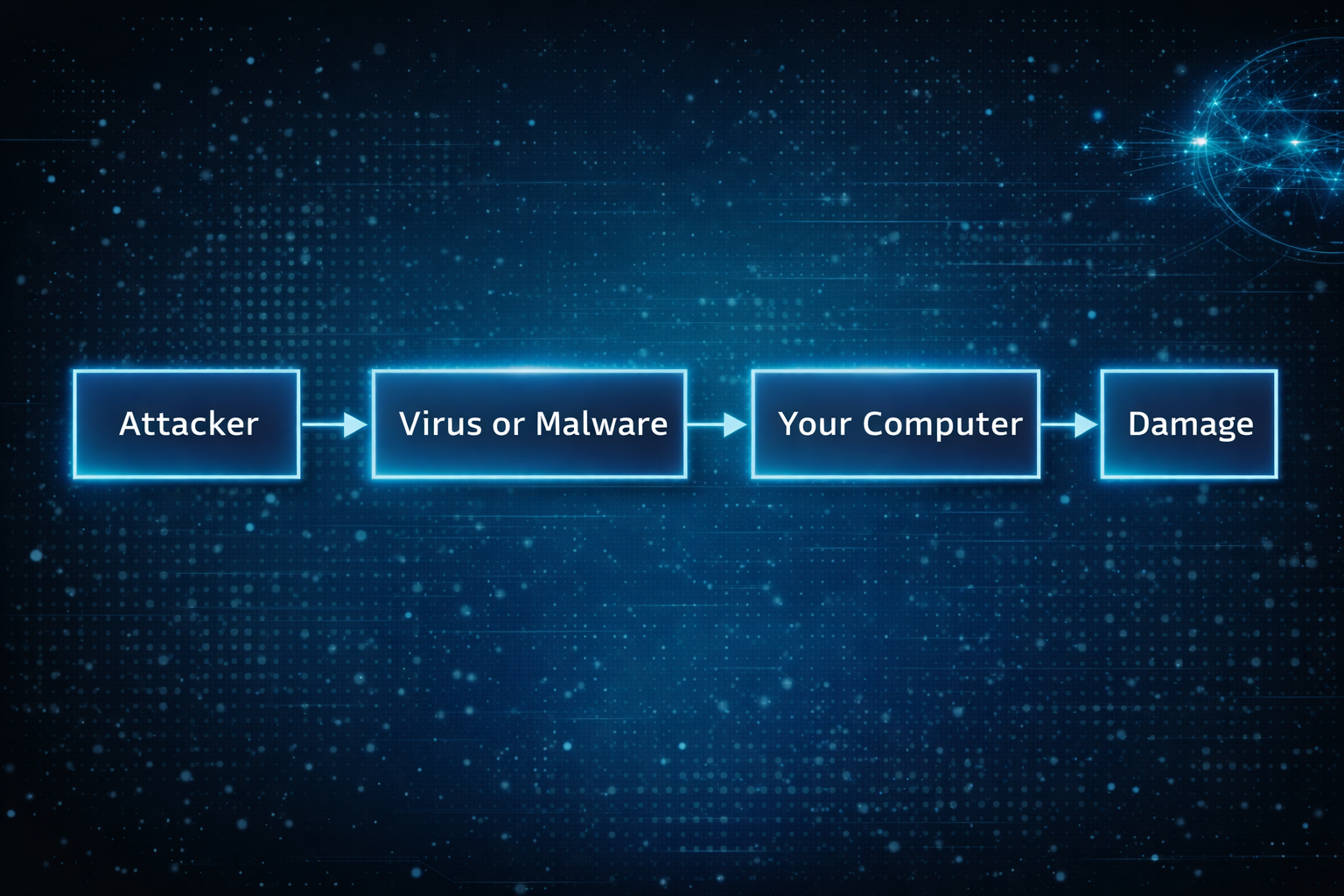
That model made sense when systems were fragile and defenses were thin. If you avoided sketchy downloads, you were mostly safe.
That world quietly disappeared.
What compromise usually looks like now
Today, the computer is often fine. The operating system is doing its job. Nothing looks obviously broken.
What fails is access.
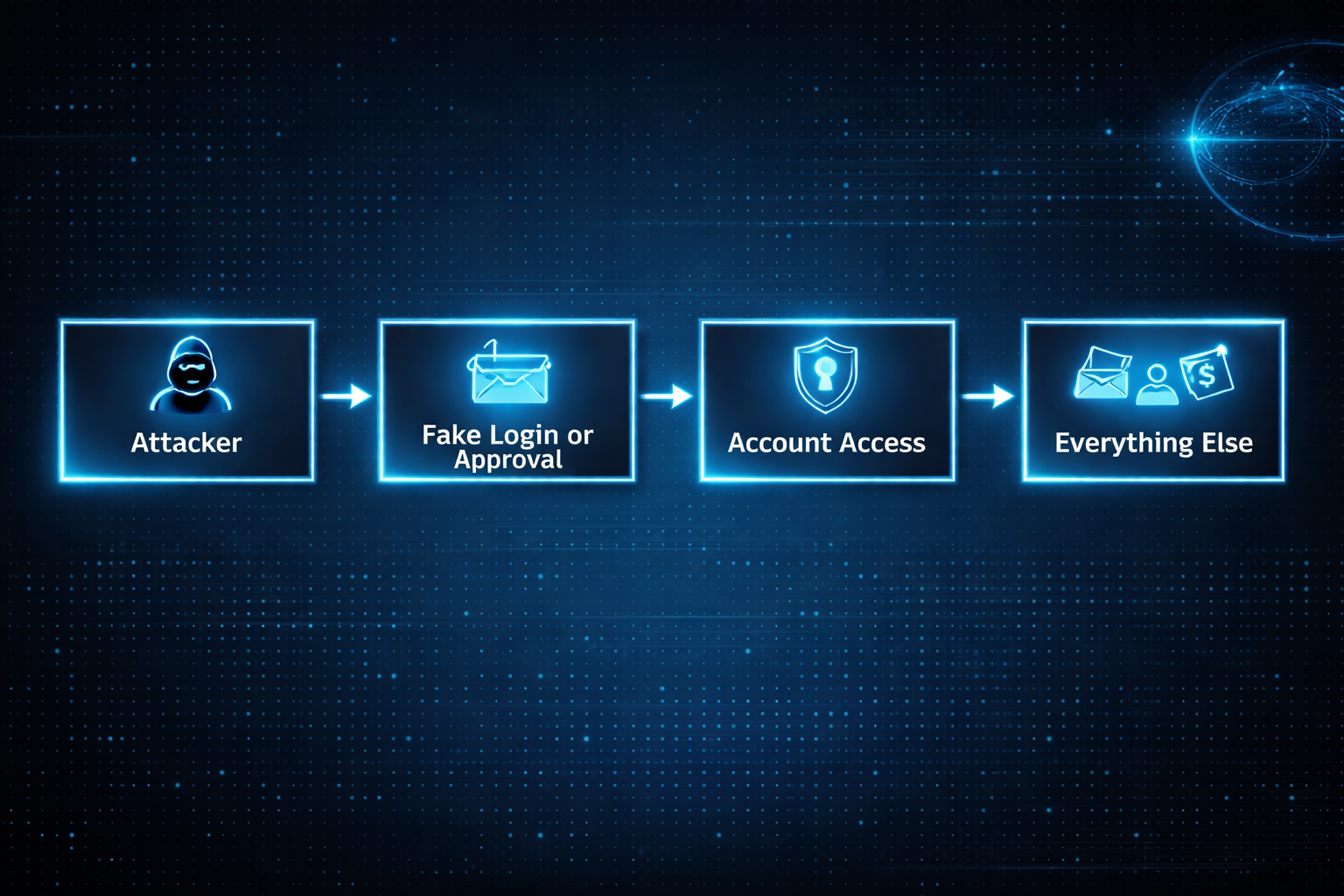
Once someone controls an account, they rarely need to touch the device. Email access alone is enough to reset passwords, read private documents, send convincing messages, and stay invisible for a long time.
This works the same way on Windows, macOS, and iOS. The platform matters far less than people think once trust is lost.
Why browsers quietly became the real operating system
Most of what matters now happens inside a browser. Email, documents, calendars, dashboards, payments, internal tools. That is where work lives and where trust accumulates.
Modern attacks aim for that session, not the computer underneath it.
A fake login page that looks familiar. A browser extension that seemed useful at the time. A stolen session token that never triggers a password prompt.
Once the browser believes you are authenticated, the rest of the system follows along.
What this feels like as an end user
For most people, compromise does not feel technical. It feels confusing.
You cannot log into an account you used yesterday. You see password reset emails you did not request. Calendar events appear that you never added. Messages are sent from your account that you did not write. A bank asks you to confirm activity you do not recognize.
Nothing screams virus. It just feels like control slipping.
That uncertainty is often the worst part. You stop trusting your own systems. You hesitate on legitimate prompts because everything suddenly looks suspicious.
I learned this the hard way. In the early 2000s, I used to think the worst that could happen was someone looking at my emails. Then that account got hacked and the attackers deleted everything. I lost all that data, but I was lucky in a strange way. They could have used all those passwords and bank details I kept emailing myself to access my accounts. The data loss was bad, but account takeover would have been catastrophic.
What I didn't realize then is that the real threat isn't what attackers can see. It's what they can become. An email account is basically a gateway to everything else you own online. Once they're in there, they can reset passwords, drain bank accounts, impersonate you across every service. The deletion was painful, but a complete account takeover would have destroyed me.
Why this keeps cascading once it starts
Once one core account is compromised, others tend to follow quickly.
By the time most people realize something is wrong, multiple accounts are already involved. Cleaning it up becomes time consuming, stressful, and disruptive.
The damage is not always financial. Lost files, missed messages, and impersonation have real personal and professional consequences even when no money is stolen.
The attack vectors people rarely think about
Many real compromises come from places that feel routine.
Calendar invites carry links and reminders that feel trusted. People accept them reflexively.
OAuth and sign-in flows feel safer than passwords, so people approve access quickly. That access often survives password changes because it was never tied to the password in the first place.
Browser extensions accumulate quietly. They update silently. Permissions stay broad. One compromised extension can observe sessions and modify pages without ever looking like malware.
Recovery paths are often forgotten entirely. Backup email addresses, trusted devices, linked accounts. Attackers do not need to break the front door if the side door is unlocked.
Shared devices create long-lived access in environments that no longer exist. Trust lingers long after context changes.
None of this feels malicious in the moment. That is why it works.
Where AI makes this harder for normal people
AI did not invent new attacks. It removed friction.
Messages are now fluent, contextual, and emotionally tuned. What used to stand out blends into everyday communication. Small mistakes become easier to make, not because people are careless, but because the signal is harder to distinguish from normal life.
AI also enables adaptive interaction. Instead of a single scam message, attacks can unfold as conversations that respond naturally to hesitation or questions.
At the same time, AI tools are becoming part of daily workflows. People paste sensitive information into them without much thought. They authorize access to be helpful or efficient. Each approval feels minor. Collectively, they widen the attack surface in ways most users never map explicitly.
Why platform choice alone no longer protects you
There is a comforting belief that choosing the right operating system solves most of this. Better defaults help, but they do not solve the core issue.
Identity flows across devices. Once access is compromised, it follows you everywhere.
This is why people feel blindsided after doing everything right. Updates were installed. Sketchy downloads were avoided. None of that mattered once trust was reused upstream.
Work accounts versus personal accounts
Your work email operates under different rules.
Your employer controls your work account. They can see what you're doing, enforce password changes, require two-factor authentication, and reset your access if needed. Your IT department will notice if someone is using it from a strange location or accessing unusual data. But you have less control over recovery if something goes wrong.
Work account compromise is worse in different ways. An attacker gains access to your company's data, your coworkers, and potentially customer information. The problem spreads beyond you.
Personal accounts are yours to protect or neglect. No one is watching. You control recovery, but you're also alone in defending it.
Protect your work account like it matters to everyone else, because it does. Use the strongest authentication your employer allows. Don't reuse that password anywhere. Assume it's being monitored. If you suspect it's compromised, tell IT immediately.
Your personal accounts matter more to you than anyone else will ever know. That responsibility is entirely yours.
So where does antivirus fit now
Antivirus still has a place. It helps catch known malicious software and obvious bad installers, especially on Windows.
It just is not what usually saves people anymore.
Most modern compromises do not involve infecting the machine at all. They involve inheriting access. Antivirus cannot stop you from logging into the wrong place or approving the wrong thing.
It is a seatbelt, not the steering wheel.
Understanding data breaches
When you hear that a service you use suffered a data breach, it's worth understanding what that actually means.
A breach means attackers got data that shouldn't be public. If it's a password, that password is now known. If it's your email and password together, that combination is in a list somewhere that gets shared and tested against other services.
Check if you're in a known breach at Have I Been Pwned. Enter your email and you'll see which services leaked your information. This is useful. Not panic-inducing. Just useful.
A breach is past tense. Your password was leaked in 2018. That doesn't mean someone is using it now. But if you reused that password on other sites, those accounts are exposed.
This is why password reuse is so dangerous. One old breach at some forgotten service becomes a key to your email, banking, or work accounts years later.
The action is simple. If you were in a breach for a service that knows your password, change it. If you used the same password elsewhere, change those too. If the breached service offered two-factor authentication and you didn't use it, enable it now.
Most people are in multiple breaches. You probably are too. That's normal. The breach that matters is the one you don't know about yet. The one where you kept the same password everywhere.
Spotting compromise before it spirals
There are early signals before the damage becomes obvious.
Check your account activity periodically. Most email and cloud services show where you're signed in and recent login locations. An unfamiliar city or device in that list is a genuine warning sign.
Recovery email or phone number changes are a red flag. If you suddenly can't use your backup email to reset a password, someone may have changed it. Same with linked phone numbers or authentication apps.
Connected apps and permissions creep slowly. Services like Google and Microsoft show what third-party apps have access to your account. If you see apps you don't recognize, or apps with permissions you don't remember granting, revoke the access. It's usually one click.
Two-factor authentication breaks the account takeover chain. If someone has your password but not your phone, they still can't get in. That friction is what stops most attacks.
Behaviors that expose you more than others realize
Reusing passwords across sites means one breach ripples everywhere. A breach at some obscure service leaks credentials that work on Gmail or your bank. Password managers let you use different passwords everywhere without memorizing them.
Approving account access without reading what's being requested is risky. That app asking for "calendar and email access" might only need one of those. Read the request before clicking approve.
Public WiFi creates a different problem than it used to. The WiFi itself isn't the issue. The issue is attackers intercepting login traffic. VPNs help, but real protection comes from password managers autofilling credentials and services using encryption. Don't manually type passwords on public WiFi.
Clicking links in emails, even from people you know, is riskier now. Those emails can be impersonated or accounts can be compromised. If something seems unusual, go directly to the website instead of clicking the link. Especially with financial and account management emails.
Anti-patterns: What NOT to do
Some habits feel convenient but directly enable compromise.
Do not share passwords with family members, even in emergencies. Once shared, you lose control. You can't change it without inconveniencing them. If they're compromised, so are you. If they leave or your relationship changes, you have a password you never reset. Use family plans or shared password vaults instead.
Do not write passwords down and leave them accessible. A notebook on your desk, a sticky note in your wallet, or a note in your phone is worse than a password manager. No encryption. No backup. No way to update everywhere at once.
Do not use the same password or PIN pattern across accounts. This is the core vulnerability that breaks everything. One breach becomes an attack on all your accounts.
Do not disable security notifications or two-factor authentication because they're inconvenient. They're inconvenient by design. That inconvenience is what stops attackers.
Do not ignore unusual activity emails from your accounts. Check them. If they're real, you need to know. If they're phishing, at least you're awake and can respond.
Do not grant app permissions you don't understand. That app asking for "calendar and email access" can now see every conversation you've had and every meeting you're attending. Read what's being requested. It should match what the app does.
Do not type passwords on public WiFi. The WiFi isn't the vulnerability. The vulnerability is someone intercepting your login. Use a password manager so it autofills, or wait until you're home.
Do not leave old accounts open and forgotten. An old email you don't use, an old social media account, a service you abandoned. These become recovery paths for attackers. Delete them or change their passwords if deletion isn't possible.
For families and less technical users
Shared accounts with family are riskier than they seem. A shared Netflix account is fine. A shared email or cloud account is a serious risk because anyone with access can reset other accounts.
Children's accounts should be separate, even if they're young. An account a 10-year-old uses for school shouldn't be shared with the whole family.
Elderly or less tech-savvy family members are often targeted specifically. Attackers know they're less likely to recognize phishing or social engineering. If a parent or grandparent is asking you to help verify their account, double-check the request actually came from that service.
Support channels become attack vectors when attackers impersonate them. A call claiming to be from your bank asking you to verify information should be treated as suspicious. Legitimate support never asks for passwords.
Mobile-specific reality
The line between apps and accounts is blurrier on mobile. An app installed from your app store has permissions to see your location, contacts, photos, calendar, and more. If the app is compromised, that's a live connection to your personal information.
Sign-in-with-Google or sign-in-with-Apple defaults are convenient but they also mean that Google or Apple now has another connection tracking what you're doing. More importantly, if someone compromises your account, they get access to every app you've signed into that way.
Android and iOS protect you in different ways, but both flow personal data through your account. The account is still the single point of failure.
What actually helps
The defenses that matter now are different from what most people expect.
Two-factor authentication is the most effective thing you can do. It breaks the account takeover chain. Even if someone has your password, they still can't get in without your phone or authentication app. Use it on email, cloud storage, and banking. Those are the accounts that unlock everything else.
A password manager changes the math entirely. Chrome and Apple Keychain both work well. They generate random passwords automatically, so you never have to come up with one yourself. More importantly, they make it trivial to use different passwords everywhere. One breach stops being a key to all your accounts.
Periodically check what apps have connected to your accounts. Google and Microsoft both show you this. Revoke anything you don't recognize or don't remember approving. That access often survives password changes because it was never tied to your password in the first place.
Watch for unusual activity. Most services show you where you're signed in and recent login locations. An unfamiliar city or device is a genuine warning sign. Pay attention to password reset emails you didn't request. Those are often the first signal something is wrong.
Set up backup authentication methods and store them safely. Recovery email, phone number, recovery codes. You need these if you get locked out, but they're also attack vectors if someone else controls them. Keep them secure, but don't forget where you put them.
What doesn't help as much anymore? Antivirus software, avoiding downloads, keeping a clean system. Those still help, but they don't solve the modern problem. The attack surface moved, and so should your defenses.
How to actually implement this
The biggest gap between understanding the problem and staying safe is actually doing something about it.
Don't reuse passwords. Use the password manager built into your browser or phone. You already have it.
If you use Chrome or Android, use the password manager that comes with it. If you use Apple devices, use Keychain. Both work everywhere. Both are encrypted. Both sync across your devices. You don't need anything else.
When you create a password on a website, let the password manager generate a random one. Don't come up with it yourself. Don't try to make it memorable. The whole point is that you never have to remember it or type it. The password manager fills it in.
The temptation is to reuse a password you already know because it feels simpler. It's not. It's the opposite. One breach leaks that password everywhere.
What doesn't work? If you email yourself a password, it's unencrypted and accessible to anyone with your email. A desktop text file has no encryption and anyone with access to your computer can see it. A notebook on your desk is a physical security issue. It can be photographed or stolen. A spreadsheet of passwords is centralized and unencrypted, so if it's stolen, the damage ripples everywhere. A phone photo of a password note gets backed up to the cloud and becomes searchable.
These approaches are worse than reusing the same password because they're unencrypted and centralized. One breach or one moment of access exposes everything.
Use the password manager. Let it generate random passwords. Use a different password for every site. Enable auto-fill so you never type passwords manually, especially on public WiFi. One breach stops being a key to all your accounts.
For critical documents, use a combination of physical and digital storage.
Keep the originals in a physical safe or safe deposit box. Birth certificates, passports, property deeds, insurance policies, medical records, financial statements. Not on your desk. Not easily accessible. These are documents you rarely need, so the inconvenience of accessing them is worth the security.
Scan them or take photos and store the digital copies in cloud storage. Google Drive, Microsoft OneDrive, or iCloud all work. Enable two-factor authentication on that account. You get access from anywhere and automatic backup, but the encryption and authentication keep it protected.
Don't keep important documents on your desktop or in random folders. Don't email them to yourself as attachments. Don't store them on a USB drive left in a drawer. Those feel convenient but they're not actually protected.
For recovery codes from two-factor authentication, print them out or write them down and store the physical copy in a safe place. A safe or safe deposit box. Not in a desk drawer. Not a photo on your phone. Not in unencrypted notes. You need these if you get locked out, but if someone else finds them, they become an attack vector.
The pattern is the same: don't rely on a single location. Don't sacrifice security for access. Use multiple layers, both physical and digital backup, so one failure doesn't lose everything.
If you realize you're compromised
Act fast. The first 24 hours matter.
Step by step:
- Use a clean, trusted device and go directly to the real website. Don't click links in emails or messages. Type the URL yourself or use a bookmark you know is safe.
- Change your email password immediately. Use a strong, unique password. Email unlocks everything else.
- Sign out of all sessions. Most email and cloud services have an option to sign out everywhere at once. This invalidates any active sessions attackers might be using.
- Check for persistence. Look for email forwarding rules, filters, or delegates that you didn't set up. Attackers often leave these behind to maintain access even after you change your password.
- Review connected apps and devices. Check what devices are signed in and revoke any you don't recognize. Check what third-party apps have access to your account and revoke anything suspicious.
- Was your email compromised? If yes, change passwords on critical accounts immediately. Financial accounts, healthcare, government services, and your phone carrier. Assume any account with a similar password is at risk.
- Freeze your credit and set fraud alerts if financial accounts were involved. This stops attackers from opening new accounts in your name.
- Continue monitoring. Watch for unusual activity across all your accounts. Check account activity logs regularly for the next few weeks.
The real shift to internalize
Modern compromise is rarely about broken software. It is about normal behavior becoming predictable.
Logging in. Approving access. Staying signed in. Reusing trust across contexts.
These are not technical actions. They are everyday habits. That is why they are so easy to exploit.
What really matters
If modern compromise feels unfair, it is because the rules changed quietly.
Your computer did not suddenly become unsafe. The way trust moves through your digital life did.
Once you start thinking in terms of identity, sessions, and approvals, these incidents stop feeling mysterious. They start feeling structural.
Not because systems are weak, but because trust is easier to steal than code is to break.